The 10 Business Processes You Should Automate First

Start With the Processes That Hurt the Most
One of the most common mistakes businesses make when approaching automation is trying to do everything at once. They want to automate their entire operation in one go, and the resulting scope is so large that the project stalls before anything gets delivered.
The smarter approach is to start with a short list of high-impact, well-understood processes and get those running reliably before expanding. Here are the ten we consistently find deliver the best returns.
1. Lead Capture and Routing
Every minute that passes between a prospect filling in a form and receiving a response reduces the chance of conversion. Research consistently shows that response time is one of the strongest predictors of whether a lead converts.
Automating lead capture means that the moment someone submits your contact form, registers for a webinar, or downloads a resource, they receive an immediate, personalised response — and the right person in your team gets notified and assigned. No manual checking of inboxes, no leads falling through the cracks.
2. CRM Data Entry
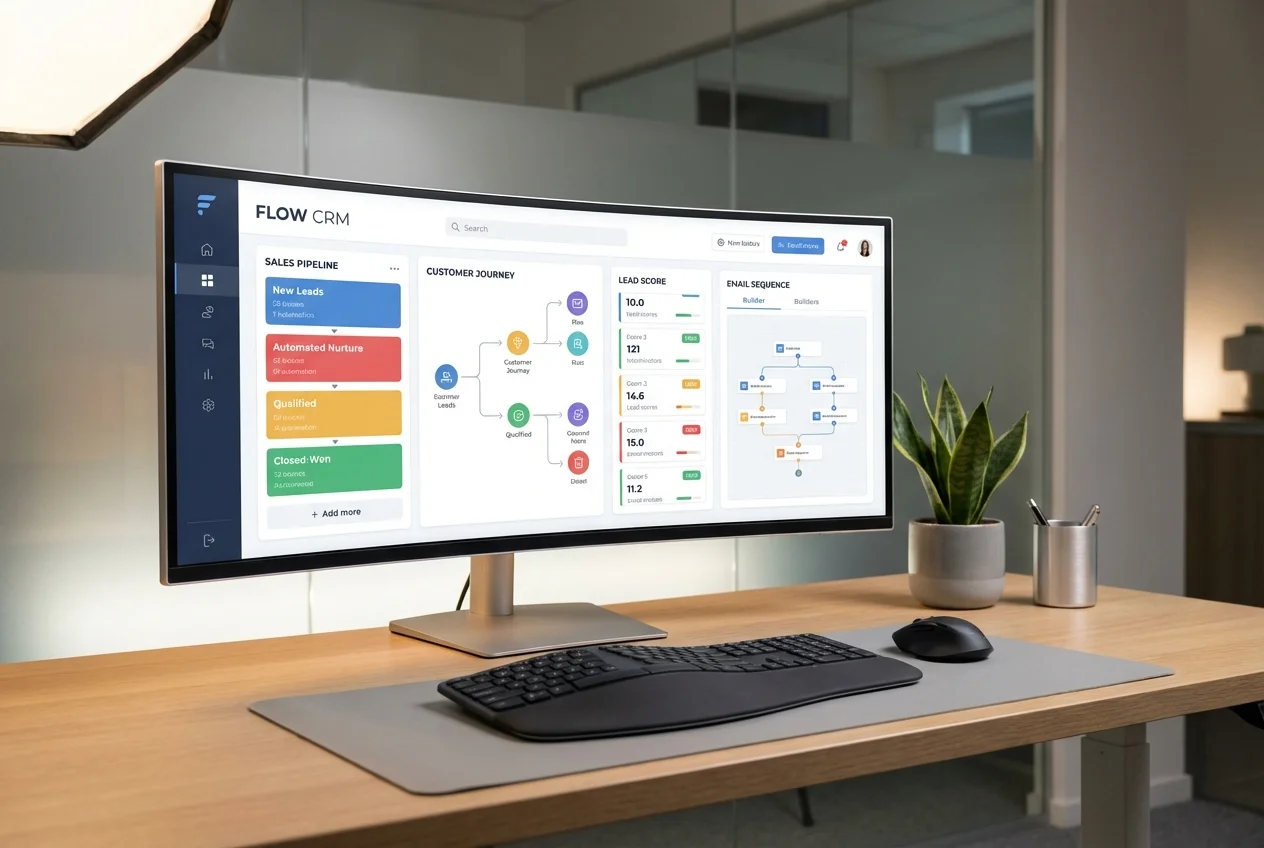
Sales and operations teams routinely spend one to two hours per day on CRM data entry — logging calls, updating contact records, changing deal stages. This is pure overhead. Automating CRM updates means your team spends that time on actual sales and account management instead.
Modern CRM automation can log emails automatically, update records based on trigger events, create tasks at the right stage of the pipeline, and generate activity summaries without any manual input.
3. Follow-Up Email Sequences
Most sales are lost not because the prospect said no, but because nobody followed up consistently enough. Building automated follow-up sequences — personalised based on where the prospect is in the buying journey — is one of the highest-ROI automations most businesses can implement.
This applies equally to post-meeting follow-ups, proposal follow-ups, re-engagement of cold leads, and post-purchase communication.
4. Invoice Generation and Payment Chasing
Chasing invoices is awkward, time-consuming, and often delayed because nobody enjoys doing it. Automating the generation of invoices and the subsequent payment reminders at day seven, fourteen, and thirty takes the discomfort out of the process and dramatically improves cash flow.
Accounting platforms like Xero and QuickBooks have good native automation, but connecting them to your CRM and project management tools creates a much more powerful end-to-end flow.
5. Client Onboarding
A chaotic onboarding experience sets the wrong tone for a new client relationship. Automating onboarding — contract sending, welcome emails, questionnaire delivery, calendar booking, kickoff briefing — ensures every new client gets a consistent, professional experience regardless of who handles the account.
It also saves your team two to four hours per new client, which adds up fast if you're bringing on multiple clients each month.
6. Appointment Booking
The back-and-forth of scheduling — "are you free Tuesday? No, how about Thursday at 2?" — is one of the most pointless uses of human time. Tools like Calendly, integrated with your CRM and calendar, eliminate this entirely. When a prospect or client clicks a link and books a time directly into your calendar, everyone wins.
7. Report Generation
Weekly reports, monthly performance summaries, board packs — these take hours to compile manually and are often delayed because nobody has time to pull the data together. Automating report generation means the right numbers are compiled, formatted, and sent to the right people on schedule, every time.
8. Social Media Scheduling
Creating content is valuable. Manually logging into multiple platforms to post it is not. Scheduling content in advance through tools like Buffer or Hootsuite, integrated with your content calendar, frees up time while maintaining a consistent publishing cadence.
9. Customer Support Triage
Not every support query needs a human response. Common questions about pricing, opening hours, returns policies, and account access can be handled by an AI chatbot, freeing your team to focus on the complex queries that genuinely require human judgement.
A well-built support automation routes simple queries to self-service answers and escalates complex or unhappy customers to a real person immediately — giving you the best of both worlds.
10. Data Synchronisation Between Systems
Most businesses run multiple software platforms — a CRM, an accounting tool, a project management system, a marketing platform. When these don't talk to each other, you end up with duplicated data entry, inconsistent records, and decisions made on inaccurate information.
Building automated data syncs between your core systems — even simple ones — eliminates a category of error that costs businesses thousands of pounds per year in corrective work and bad decisions.
How to Prioritise Your Automation Roadmap
Once you've identified which of these processes apply to your business, prioritise based on three factors:
- Time cost: How many hours per week does this process consume across your team?
- Error rate: How often does the manual process produce mistakes, and what do those mistakes cost?
- Build complexity: How straightforward is this to automate? Starting with simpler wins builds confidence and demonstrates value quickly.
If you'd like help mapping your processes and identifying your highest-ROI automation opportunities, we offer a free discovery call where we'll work through this with you. Once your first process is automated, it's worth reading how other businesses scaled a single workflow into reusable, product-grade infrastructure instead of starting from scratch for every new process.
FAQ: Deciding What to Automate First
Which business processes should we automate first?
Start with the process that consumes the most staff hours per week and has a well-documented, repeatable set of steps — for most companies that's lead capture and routing, CRM data entry, or invoice chasing. High volume plus low ambiguity gives the fastest ROI.
What business processes should we automate with AI first?
Reserve AI specifically for steps that involve judgement calls a fixed rule can't handle — triaging support queries, qualifying leads, or summarising documents — and use simpler rules-based automation for anything that follows a fixed sequence, like invoice reminders or data syncing.
Which processes should we automate first for the fastest ROI?
Rank candidates by time cost times frequency times error cost, then pick the top two or three with the lowest build complexity. That combination — high pain, low complexity — consistently delivers payback within weeks rather than quarters.
 AI Workflow Automation
 CRM Automation
 Email & Marketing Automation